Upgradability
A lot of elitists will insist that your current rig is insufficient, but often you can just upgrade the CPU and GPU and list your old ones on eBay. People really underestimate how well used PC parts hold value if you sell them yourself instead of trading them in at a retailer. A 3070 from a couple years ago still goes for $200-250 used; a 12th-gen Intel CPU still fetches reasonable money. Trade-in programs at retailers will lowball you by half. Spend an extra hour listing it on eBay and you've effectively cut the cost of your upgrade.
An important thing to look out for is what type of motherboard you're purchasing. It's tempting to save money by buying a PC with an older DDR4 motherboard, but you have to consider that support for it is dying. Intel's LGA 1700 socket (12th, 13th, 14th gen) is end-of-life — no more new chips for it. AMD's AM4 platform (Ryzen 1000 through 5000) is similarly retired. AM5 and Intel's LGA 1851 are the live platforms now, and AM5 in particular has years of upgrade path ahead. If a prebuilt listing doesn't state the exact motherboard, you can usually deduce the type from the CPU and its generation — or paste the URL into the analyze tool and I'll show you what I extracted.
Another thing to watch out for is Intel vs AMD. When you pick one, you're pretty much boxed into that brand for as long as you keep the motherboard, because the socket isn't compatible across the two. Historically AMD has been better about backwards compatibility within a single socket — AM4 lasted five years and people upgraded the same motherboard from a Ryzen 1600 all the way to a 5800X3D. Intel changes sockets every two or three generations, which forces a full platform refresh more often. If you're someone who likes to upgrade the CPU mid-life of a build, AMD has historically been the safer bet.
The other thing nobody really warns you about is the power supply. Stock prebuilt PSUs are often sized exactly for the GPU they ship with, plus a tiny margin. If you upgrade the GPU later, the PSU might not have the wattage headroom — or even the right cables. A 5070 prebuilt typically ships with a 650W PSU; trying to drop a 5080 in there means a new PSU too. Worth checking the wattage and cable list before you commit.
Here's a funny PC I found that's honestly not a bad deal but is horrible for a couple of reasons.
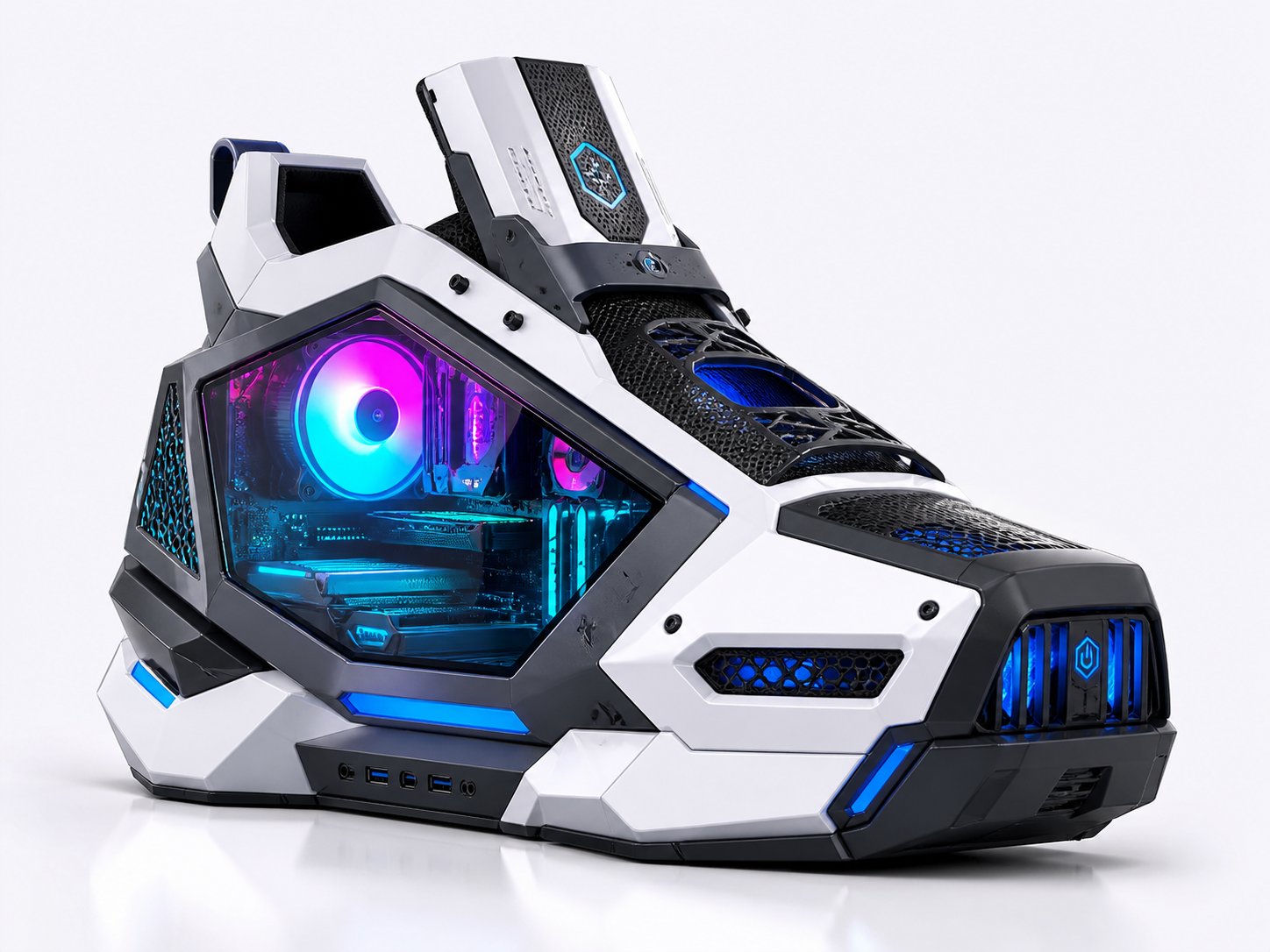
AI-slop generated version of the shoe so I don't get DMCA'd
I don't think I need to explain but it's soooo ugly. Not only that, but I can't imagine this thing will be easy to pop open and make modifications to. Shoes are cool, but if I walked into your room and saw this I think I might start crying laughing.
Smaller rigs (Micro-ATX and the like) are often difficult to upgrade GPU-wise, and may require some serious surgical skills to reassemble. The case itself becomes a constraint. A modern 5080 is something like 13 inches long and 3 slots tall — there are plenty of mid-tower cases that physically can't fit it, never mind a shoe-shaped one. If upgradability matters to you at all, get a normal-sized ATX case with room to spare. The savings on a smaller form factor evaporate the first time you can't fit the GPU you wanted.